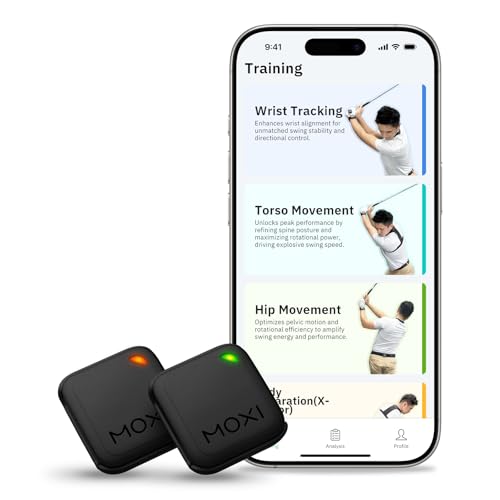
Blast Motion Golf Swing Analyzer: Turn Data Into Better Shots
Get real-time feedback on your tempo, speed, and attack angle. Learn how this sensor transforms your practice and lowers your scores.
VIEW TOP DEALSQuick Take: The Blast Motion Golf Swing Analyzer is a small, club‑mounted sensor that captures over 20 swing metrics and delivers instant analysis via a mobile app. It works for full swings, short game, and even putting. Prices typically start around $150 for the sensor alone, with premium bundles available.
What Is the Blast Motion Golf Swing Analyzer?
The Blast Motion Golf Swing Analyzer is a compact, lightweight sensor that attaches to the butt end of any club. Using advanced motion capture technology, it records your swing in three dimensions and syncs the data to a smartphone or tablet. Unlike video-only systems, Blast provides objective numbers—tempo, backswing time, downswing time, speed, and swing fundamentals like face angle at impact.
It’s part of a growing category of electronic swing trainers that help golfers of all levels understand their mechanics. Because the sensor is so small (about the size of a matchbox), you can use it during practice, warm‑up, or even on the course (where permitted).
How the Blast Motion Sensor Works
Attachment couldn’t be simpler: the sensor clips into a proprietary rubber mount that slips over the grip. Once paired with the free Blast Golf app (iOS/Android), it automatically detects swings and displays a dashboard of metrics.
- Step 1: Attach the sensor to your club, putter, or even your driver. The universal mount fits standard and oversized grips.
- Step 2: Open the app and select the club type – the app adjusts its algorithms for full swing, wedges, or putting stroke.
- Step 3: Make a swing. The sensor captures data 1000 times per second and instantly sends it to your device via Bluetooth.
- Step 4: View your numbers: tempo ratio, backswing time, peak hand speed, attack angle, and more. The app even provides a “Swing Efficiency” score to track improvement over time.
Key Swing Metrics You’ll Track
Swing Tempo
Your backswing-to-downswing ratio. The ideal is 3:1, and Blast tells you exactly how close you are – perfect if you’ve worked with swing tempo trainers before.
Hand Speed
Measures peak velocity of your hands during the downswing. Linked directly to clubhead speed and distance.
Attack Angle
Shows whether you’re hitting up (driver) or down (irons) at the right angle. Essential for optimizing launch conditions.
Backswing Length & Time
Tracks how long and how far back your swing goes. Helps eliminate overswing and improves consistency.
Putting Analysis – Not Just for Full Swings
One standout feature is the putting analysis. The sensor records face rotation, backswing/forward swing time, tempo, and impact speed. It then gives a “Stroke Score” that correlates with tour averages. If you’re serious about improving putting tips with hard data, this replaces guesswork with precision.
Setup & Calibration – Getting Started in Minutes
You don’t need to be a tech expert. After installing the app, you simply calibrate the sensor by holding it steady on a flat surface for a few seconds. The device automatically recognizes the club type based on orientation. Full‑swing mode, wedge mode, and putting mode each have tailored algorithms, so you’re always comparing apples to apples.
Top Benefits for Your Game
- Instant Feedback: No more waiting for a coach – see what happened immediately after every swing.
- Objective Data: Eliminate “feel vs. real” confusion; know exactly if your tempo is too quick or your backswing too long.
- Practice Efficiency: Make every range session count by focusing on specific metrics like attack angle or hand speed.
- Versatility: Use with any club, including your putter, for a complete picture of your game.
- Progress Tracking: The app stores historical data so you can see improvement over weeks and months.
Who Is the Blast Motion Sensor For?
From high‑handicap beginners learning swing fundamentals to scratch players refining their club sensors data, this device fits a wide audience. Instructors also love it for remote coaching, as students can share sessions directly through the app. Even if you already own a launch monitor, the Blast adds a layer of grip‑level detail you can’t get from ball‑only monitors.
How to Get the Most Out of Your Analyzer
- Set a Baseline: Record five swings with your 7‑iron and driver, note your averages for tempo, speed, and attack angle.
- Focus on One Metric at a Time: For example, spend a session solely improving your 3:1 tempo ratio.
- Use the Video Overlay: The app can overlay metric data on your phone’s video – a powerful coaching tool.
- Compare Before & After: When you make a swing change, use the history graph to see immediate impact.
Frequently Asked Questions
Does the sensor work with all grips?
Yes. The rubber mount stretches to fit standard, midsize, and most jumbo grips. It also works on putter grips with a flat front.
Can I use it during a round of golf?
Under the Rules of Golf, you may use a sensor during practice rounds or casual play, but not during official tournament rounds. Check local rules before using it in competition.
Is it better than a launch monitor?
It complements a launch monitor. While launch monitors measure ball and clubhead data at impact, Blast focuses on grip‑end motion, giving you insight into the swing mechanics that produce those numbers.
How long does the battery last?
The rechargeable battery lasts approximately 8 hours of continuous use and charges fully in about 2 hours via USB.
Should You Buy the Blast Motion Golf Swing Analyzer?
If you’re serious about data‑driven improvement and want a portable, easy‑to‑use sensor that covers everything from driver to putter, the Blast Motion Golf Swing Analyzer is one of the best investments you can make. At around $150, it delivers insights that would otherwise require expensive coaching sessions.
Ready to take your practice to the next level? Check out the latest deals and bundles below.